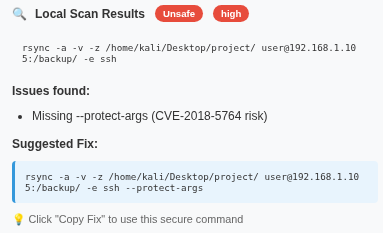
Watch how SyncShield detects unsafe commands and secures your data transfer in real-time.
Understand how Rsync works — and why missing --protect-args can lead to remote command execution.
Rsync is a powerful utility for file synchronization between systems, commonly used for backups, mirroring, and remote transfers.
rsync -av /source/ user@host:/destination/
-a: Archive mode
-v: Verbose output
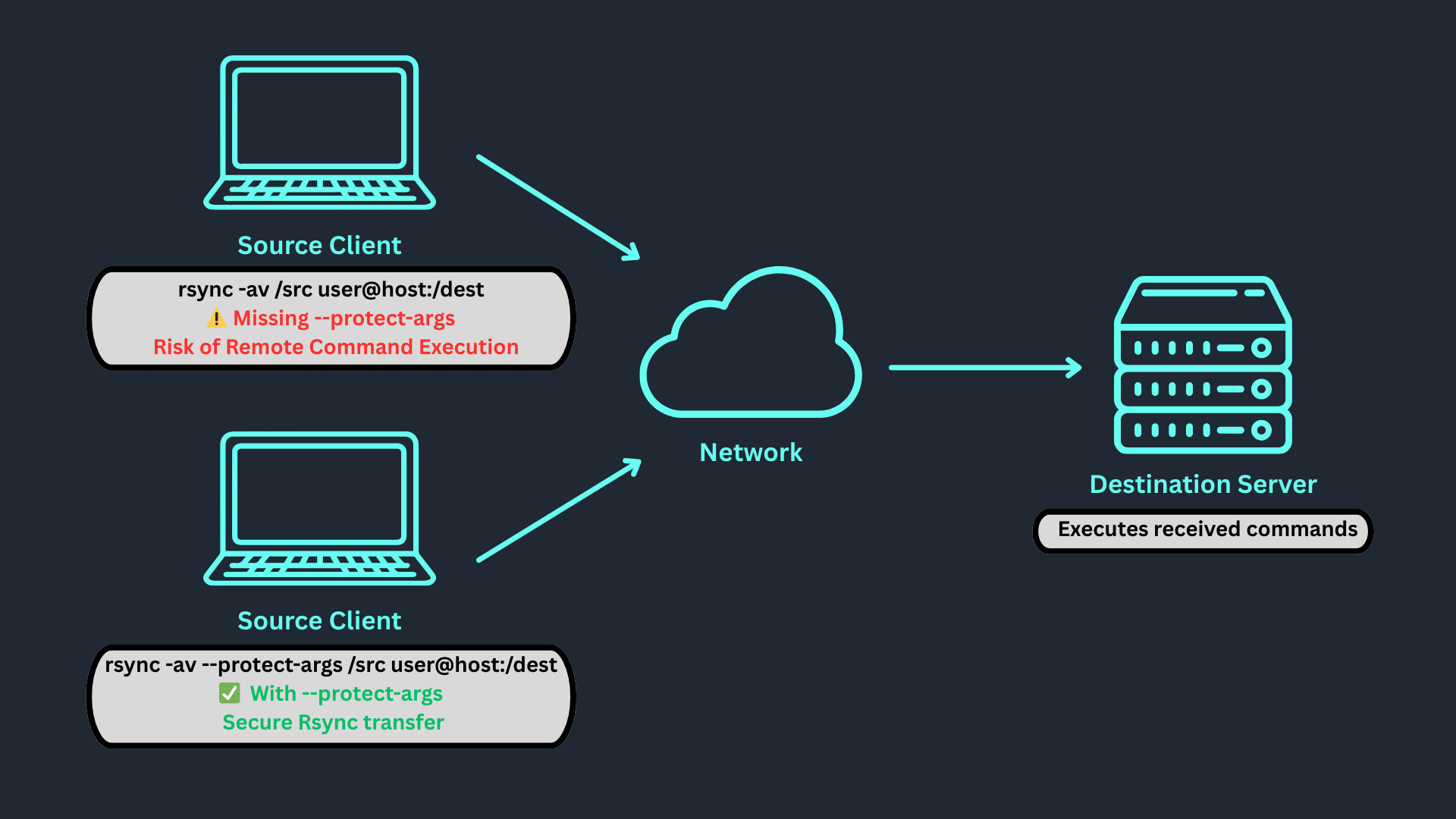
This vulnerability occurs when Rsync is executed without --protect-args. User input can be interpreted as shell commands on the destination server.
Danger: Remote command execution → full server control
rsync -av /src user@host:/dest
⚠️ Missing --protect-args → Risk of command injection
rsync -av --protect-args /src user@host:/dest
✅ With --protect-args → Safe transfer
Source Client: Sends Rsync command
Network: Transmits securely via SSH
Destination: Executes received commands
All-in-one Rsync security assistant — detect, analyze, and secure your commands instantly.
Scans for missing --protect-args and other risky syntax.
Identifies shell-injectable patterns in user commands.
Notifies you instantly when unsafe parameters are detected.
Shows clear fixes and secure examples for each issue.
Runs locally without Internet — full privacy guaranteed.
Clean and intuitive dashboard for quick command checks.
Get started in minutes — follow these quick setup steps.
Download the SyncShield Extension using the button above.
Unzip the downloaded file into a folder on your computer.
Open your browser (Chrome / Edge / Brave).
Go to chrome://extensions/ and enable Developer Mode.
Click Load unpacked and select the extracted folder.
The SyncShield icon will now appear in your extensions toolbar!
Learn how SyncShield helps you create secure rsync commands while preventing argument-injection attacks.
Click the SyncShield icon in your browser toolbar to open the main dashboard.
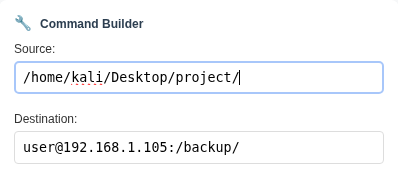
Go to the Command Builder tab to safely create your rsync command.
Source: [Source Path]
Destination: [Username]@[Host's IP]:Destination Path
Select Rsync options to enhance performance and security during command building.
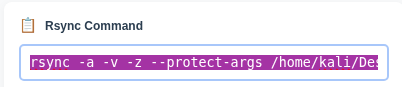
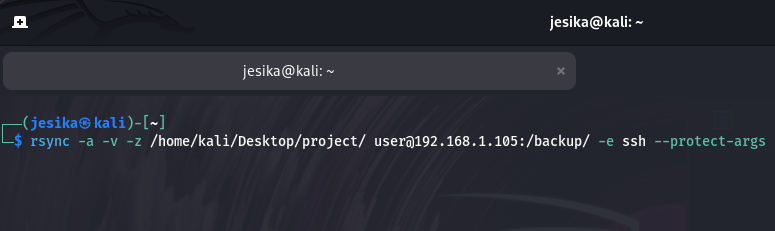
rsync -avz --protect-args /home/kali/Desktop/project/ user@192.168.1.105:/backup/
Once verified, copy the command or send it to the backend for safe execution.
If a dangerous pattern or missing flag is detected, you’ll receive a real-time alert in the GUI.

Project Manager & Testing Lead
ID: NWS23070251

Backend & Functionality Developer
ID: NWS23070157

Frontend & UI/UX Developer
ID: NWS23070265

Security Analyst & Resource Coordinator
ID: NWS23070105
Supervisor: Sir Amir Hakeem
Intake: July 2023
Course: CID
Group: FYPG3 NWS129/23B
Objective: Develop a browser extension that detects CVE-2018-5764 vulnerabilities in Rsync commands.